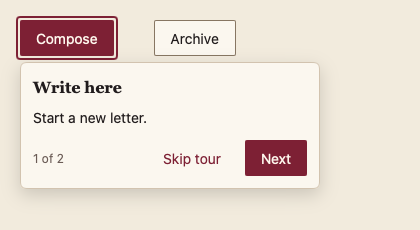
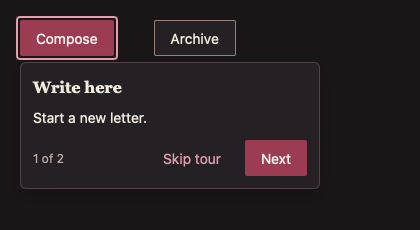
478 Coachmark
功能提示。
用途
在锚点元素旁显示提示,锚点加框;多步导航;Escape 或点击外部关闭。
最小示例
open, step := true, 0
view := func(c *ui.Context) {
	core.Use(c, core.Settings{})
	compose := input.Button(c, "Compose", input.ButtonOptions{})
	account.Coachmark(c, &open, &step, []account.CoachmarkStep{{Anchor: compose, Title: "Write here", Body: "Start a new letter."}})
}
ui.Render(view, 400, 300, 1)
参数
| 字段 | 类型 | 默认值 | 含义 |
|---|---|---|---|
open | *bool | 必填 | 是否显示。 |
step | *int | 必填 | 当前步骤。 |
steps | []CoachmarkStep | 必填 | Anchor(本帧已构建的元素)、Title 必填,Body 可选。 |
状态
显示、各步骤、最后一步(完成)、关闭。
事件
Finished();Dismissed() 在 Escape、点击外部或跳过时为 true。
键盘操作
下一步按钮自动聚焦;Escape 关闭。
限制
- 弹层沿用 Popover 定位,空间不足时翻转到锚点上方。