276 SandboxStatus 沙箱状态
用途
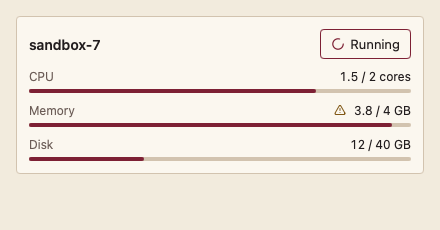
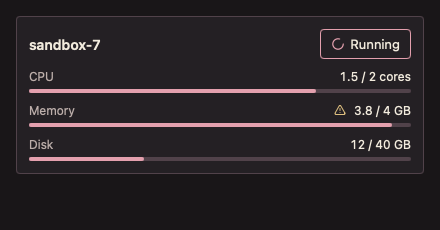
显示沙箱的运行状态、资源占用和剩余时间。
最小示例
info := agent.SandboxInfo{Name: "sandbox-7", State: agent.SandboxRunning,
	Resources: []agent.SandboxResource{{Name: "CPU", Used: 1.5, Limit: 2, Unit: "cores"}}}
view := func(c *ui.Context) {
	core.Use(c, core.Settings{})
	agent.SandboxStatus(c, info, agent.SandboxStatusOptions{})
}
ui.Render(view, 400, 300, 1)签名:func SandboxStatus(c *ui.Context, info SandboxInfo, opts SandboxStatusOptions) *ui.Element。状态未知、资源名为空、Limit 不大于 0 或 Used 不在 0 到 Limit 之间时 panic。
参数
| 字段 | 类型 | 默认值 | 含义 |
|---|---|---|---|
Still | bool | false | 停止执行中动画;系统减少动画时也自动静止。 |
状态
SandboxInfo字段:Name、State(SandboxStarting、SandboxRunning、SandboxStopped、SandboxFailed)、Resources、Expires。- 每项资源显示“已用 / 上限 单位”与细条;达到 90% 时加警示图标和“接近上限”说明。
- 设置
Expires且运行中时显示剩余时间,每秒刷新;到时显示“已到时”。
事件
- 无事件。
键盘操作
- 不获取焦点。
限制
- 倒计时依赖界面帧,窗口隐藏时 MyGo 暂停帧,重新显示后立即校正。