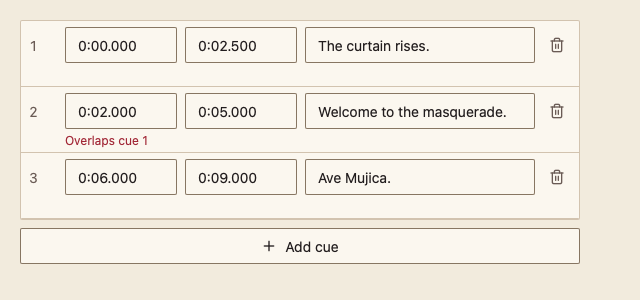
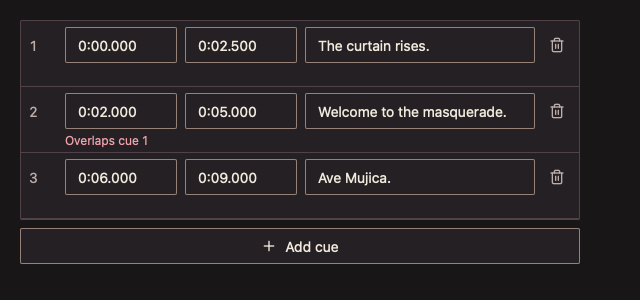
355 SubtitleEditor 字幕编辑器
用途
逐条编辑字幕的开始、结束时间和文本,校验时间先后与重叠。
最小示例
cues := []media.SubtitleCue{{Start: 0, End: 2 * time.Second, Text: "The curtain rises."}}
view := func(c *ui.Context) {
	core.Use(c, core.Settings{})
	media.SubtitleEditor(c, &cues, media.SubtitleEditorOptions{})
	if len(media.CheckSubtitles(cues)) > 0 {
		_ = cues // block saving until the issues are fixed
	}
}
ui.Render(view, 400, 300, 1)
参数
func SubtitleEditor(c *ui.Context, cues *[]SubtitleCue, opts SubtitleEditorOptions) ChoiceResult
func CheckSubtitles(cues []SubtitleCue) []SubtitleIssue 返回结束早于开始(SubtitleEndBeforeStart)和与上一条重叠(SubtitleOverlap)的条目,供调用方阻止保存。时间格式为 m:ss.mmm 或 h:mm:ss.mmm。
| 字段 | 类型 | 默认值 | 含义 |
|---|---|---|---|
Height | float32 | 0(即 360) | 列表高度。 |
Disabled | bool | false | 禁用编辑、添加和删除。 |
状态
- 无法解析的时间保留在输入框中,并显示格式提示;有效后才写回。
- 时间问题在该行下方用错误色说明,并报告给辅助技术。
- 只构建可见行,10 万条也保持流畅。
事件
Changed() 在任一字段、添加或删除后为 true。
键盘操作
| 按键 | 作用 |
|---|---|
| Tab | 在一行的开始、结束、文本、删除之间移动 |
| Enter | 提交输入 |
限制
- 虚拟化只构建可见行,Tab 不会跳到未显示的行;请先滚动。
- 组件不排序字幕;顺序由调用方决定。