324 CommandHistory · 命令历史
用途
按时间倒序列出执行过的命令,可搜索,并通过回调重新运行。
最小示例
history := []code.HistoryEntry{{Command: "git status"}, {Command: "go test ./...", ExitCode: 1}}
var state code.CommandHistoryState
view := func(c *ui.Context) {
	core.Use(c, core.Settings{})
	r := code.CommandHistory(c, history, &state, code.CommandHistoryOptions{})
	r.Element.Height(240)
	if r.Replayed != nil {
		fmt.Println("run", r.Replayed.Command)
	}
}
ui.Render(view, 400, 300, 1)
参数
func CommandHistory(c *ui.Context, entries []HistoryEntry, s *CommandHistoryState, opts CommandHistoryOptions) CommandHistoryResult。列表虚拟化,筛选只在条目数或查询变化时重算。
| 字段 | 类型 | 默认值 | 含义 |
|---|---|---|---|
HistoryEntry.Command | string | 必填 | 命令文字。 |
HistoryEntry.Time | time.Time | 零值不显示 | 执行时间。 |
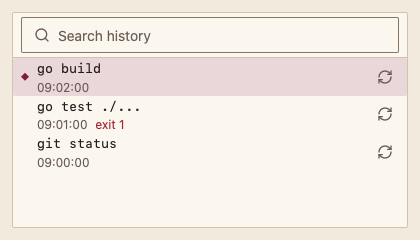
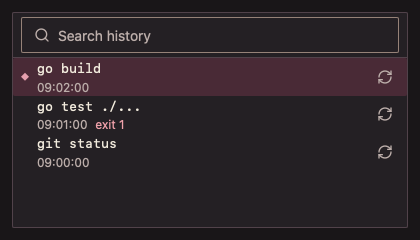
HistoryEntry.ExitCode | int | 0 | 非零时显示“退出码 n”。 |
CommandHistoryState.Query | string | "" | 搜索文字,不区分大小写。 |
Disabled | bool | false | 不能搜索与重放。 |
状态
默认、选中(Selection 背景与菱形标记)、失败命令(Danger 退出码)、无历史、无匹配、禁用。
事件
Replayed:要重新运行的条目,没有则为 nil。
键盘操作
- Tab 依次到达搜索框与列表;↑/↓、Home/End 选择;输入字母按命令定位。
- Enter 或双击:重放当前条目;每行的重放按钮可用 Tab 到达。
限制
- 只追加或整体替换
entries会被识别;原地修改中间条目后请传入新切片。