314 FileHistory 文件历史
用途
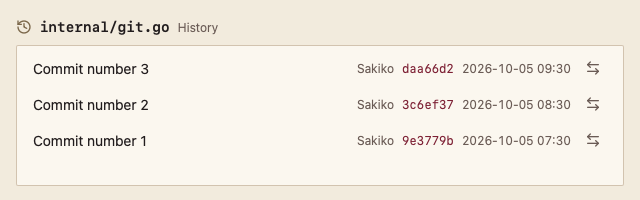
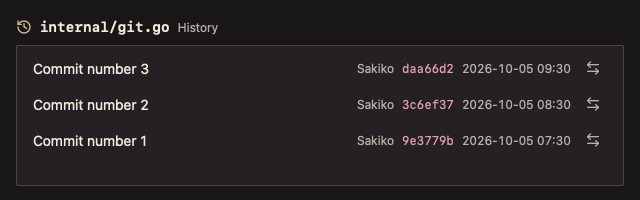
单个文件的提交历史,每条提交提供“查看差异”入口。
最小示例
var state data.ListState[string]
commits := []git.Commit{{Hash: "a1b2c3d4", Author: "Sakiko", When: time.Now(), Subject: "Edit main.go"}}
view := func(c *ui.Context) {
	core.Use(c, core.Settings{})
	r := git.FileHistory(c, &state, "main.go", commits, git.FileHistoryOptions{})
	r.Element.Height(240)
	if _, hash, ok := r.Action(); ok {
		_ = hash // open the diff of main.go at hash
	}
}
ui.Render(view, 400, 300, 1)签名:func FileHistory(c *ui.Context, s *ListState[string], path string, commits []Commit, opts FileHistoryOptions) GitListResult
参数
FileHistoryOptions
| 字段 | 类型 | 默认值 | 含义 |
|---|---|---|---|
| TimeFormat | string | "2006-01-02 15:04" | 时间格式。 |
| Status | DataStatus | DataReady | 加载、追加、失败状态。 |
| Error | string | "" | 失败说明。 |
path 为空时 panic。给返回的 Element 一个高度,列表填满其余空间。
状态
- 标题行显示历史图标、等宽路径与“历史”。
- 空历史显示“此文件没有历史”。
事件
Action()返回"diff"与提交哈希。Changed()、Submitted()同 CommitList。
键盘操作
- ↑/↓、Home/End 移动选择;“查看差异”按钮用 Tab 到达。
限制
- 不跟踪重命名:提交列表由调用方提供。