023 ButtonGroup 按钮组
用途
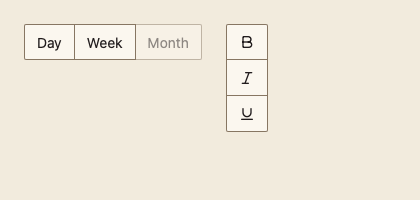
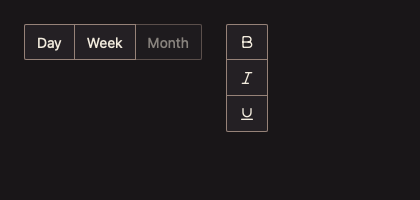
把若干按钮拼成一条,共用边框与尺寸,只有外侧圆角。整个组是一个 Tab 停靠点,组内用方向键移动。基于 ui.ButtonBase 与 MyGo 焦点组 FocusGroup。
最小示例
items := []input.ButtonGroupItem{{Label: "Day"}, {Label: "Week"}, {Label: "Month"}}
if i := input.ButtonGroup(c, items, input.ButtonGroupOptions{Label: "Range"}).ClickedItem(); i >= 0 {
	fmt.Println("chose", items[i].Label)
}签名:func ButtonGroup(c *ui.Context, items []ButtonGroupItem, opts ButtonGroupOptions) ButtonGroupResult
参数
ButtonGroupItem
| 字段 | 类型 | 默认值 | 含义 |
|---|---|---|---|
Label | string | "" | 文字;与 Icon 至少给一个,否则 panic。 |
Icon | *ui.SVG | nil | 图标。 |
Name | string | "" | 仅图标项的无障碍名称;仅图标且为空时 panic。 |
Disabled | bool | false | 单项禁用;方向键跳过该项。 |
ButtonGroupOptions
| 字段 | 类型 | 默认值 | 含义 |
|---|---|---|---|
Vertical | bool | false | 纵向排列,使用上下方向键。 |
Label | string | "" | 组的无障碍名称(工具栏角色)。 |
Disabled | bool | false | 禁用整组。 |
items 为空时 panic。
状态
每项有悬停、按下、聚焦、禁用;相邻项共用一条 1 DIP 分隔边。
事件
ClickedItem() 返回本帧被点击项的下标,无点击时为 -1。
键盘操作
Tab 进入组(回到上次聚焦项);横向组 Left/Right、纵向组 Up/Down 移动并循环;Home、End 到首末项;Enter 或 Space 触发。
限制
- 组内没有选中概念;需要保持选中请使用 ToggleGroup(033)。