337 CallStack · 调用栈
用途
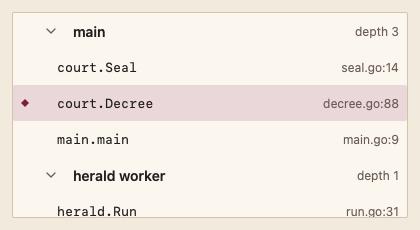
按线程分组显示调用栈帧,标出当前帧;选择帧即切换当前帧。
最小示例
threads := []code.DebugThread{{ID: "t1", Name: "main", Frames: []code.StackFrame{
	{ID: "f1", Name: "court.Seal", File: "court/seal.go", Line: 14},
	{ID: "f2", Name: "main.main", File: "main.go", Line: 9},
}}}
state := code.CallStackState{Current: "f1"}
view := func(c *ui.Context) {
	core.Use(c, core.Settings{})
	r := code.CallStack(c, threads, &state, code.CallStackOptions{})
	r.Element.Height(200)
	if r.Changed() {
		fmt.Println("show frame", state.Current)
	}
}
ui.Render(view, 400, 300, 1)
参数
func CallStack(c *ui.Context, threads []DebugThread, s *CallStackState, opts CallStackOptions) ChoiceResult。调用方修改 s.Current 时选中行随之移动。
| 字段 | 类型 | 默认值 | 含义 |
|---|---|---|---|
DebugThread.ID, Name | string | — | 线程标识与名称。 |
StackFrame.ID, Name, File, Line | string, int | — | 帧标识、函数名与位置,最内层在前。 |
CallStackState.Current | string | "" | 当前帧 ID。 |
CallStackState.Collapsed | ui.Selection[string] | 空 | 折叠的线程 ID。 |
Disabled | bool | false | 不能切换与折叠。 |
状态
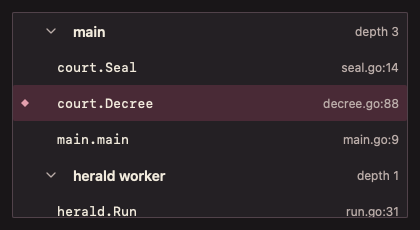
线程标题(折叠箭头与栈深度)、当前帧(Selection 背景与菱形)、未暂停空状态、禁用。
事件
Changed():用户选了另一帧,读取 s.Current。
键盘操作
- Tab 到达列表;↑/↓ 移动,到达帧即切换当前帧;线程行上 Enter 折叠/展开,← 折叠、→ 展开。
限制
- 不区分线程的运行状态;需要时写入线程名。