306 CommitInput 提交输入
用途
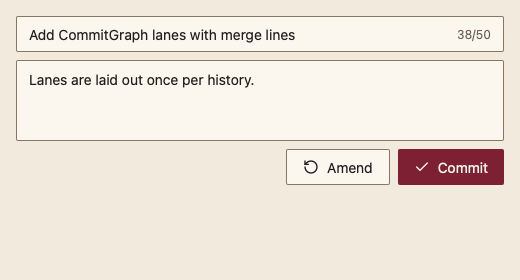
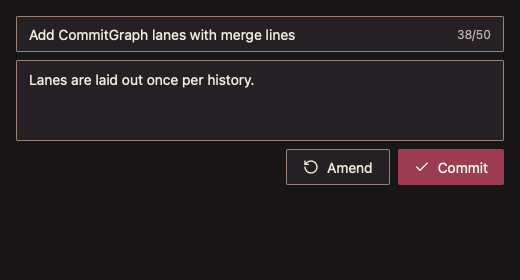
编辑提交标题与正文,标题长度提示,提交与修订(amend),并防止重复提交。
最小示例
msg := git.CommitMessage{}
busy := false
view := func(c *ui.Context) {
	core.Use(c, core.Settings{})
	r := git.CommitInput(c, &msg, git.CommitInputOptions{Busy: busy})
	if r.Committed() || r.Amended() {
		busy = true // run git commit, then clear busy
	}
}
ui.Render(view, 400, 300, 1)签名:func CommitInput(c *ui.Context, m *CommitMessage, opts CommitInputOptions) CommitInputResult
参数
CommitMessage
| 字段 | 类型 | 默认值 | 含义 |
|---|---|---|---|
| Title | string | "" | 提交标题;为空时提交与修订禁用。 |
| Body | string | "" | 提交正文。 |
CommitInputOptions
| 字段 | 类型 | 默认值 | 含义 |
|---|---|---|---|
| TitleLimit | int | 0(即 50) | 建议的标题长度;为负 panic。 |
| Busy | bool | false | 提交进行中:提交按钮显示加载,输入只读。 |
| Disabled | bool | false | 整体禁用。 |
返回 CommitInputResult,含 Element。
状态
- 标题右侧显示“已用/上限”,超出时变为 Warning 色并朗读超出字数。
- 提交后进入待定状态:按钮与输入锁定,直到调用方把 Busy 设为 true 再恢复 false。
- Busy 时提交按钮保留尺寸并显示加载。
事件
Committed():点击提交、标题内 Enter 或正文内 Cmd+Enter。Amended():点击修订。
键盘操作
- Tab 依次经过标题、正文、修订、提交。
- 标题中 Enter、正文中 Cmd+Enter(非 macOS 为 Ctrl+Enter)提交。
限制
- 防重入依赖调用方在提交期间设置 Busy;从未设置 Busy 时组件保持锁定。
- 不做提交信息格式校验。