310 BranchList 分支列表
用途
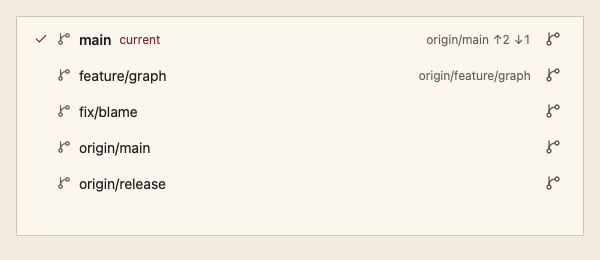
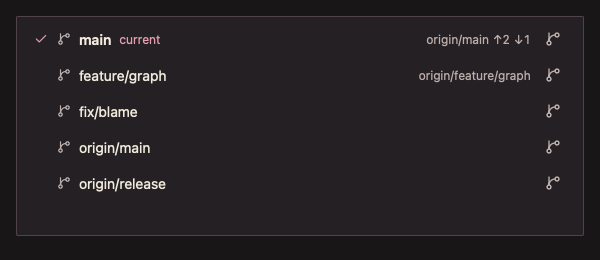
分支列表:标出当前分支,显示上游与领先、落后数,每行提供调用方定义的操作按钮。
最小示例
var state data.ListState[string]
branches := []git.Branch{{Name: "main", Current: true, Upstream: "origin/main", Ahead: 2}}
actions := []git.GitAction{{ID: "delete", Label: "Delete", Icon: "trash-2"}}
view := func(c *ui.Context) {
	core.Use(c, core.Settings{})
	r := git.BranchList(c, &state, branches, git.BranchListOptions{Actions: actions})
	r.Element.Height(200)
	if action, name, ok := r.Action(); ok {
		_, _ = action, name // run the action on the branch
	}
}
ui.Render(view, 400, 300, 1)签名:func BranchList(c *ui.Context, s *ListState[string], branches []Branch, opts BranchListOptions) GitListResult
参数
BranchListOptions
| 字段 | 类型 | 默认值 | 含义 |
|---|---|---|---|
| Actions | []GitAction | nil | 每行的图标操作;ID、Label、Icon 必填且 ID 唯一,否则 panic。 |
| Status | DataStatus | DataReady | 加载、追加、失败状态。 |
| Error | string | "" | 失败说明。 |
GitAction
| 字段 | 类型 | 默认值 | 含义 |
|---|---|---|---|
| ID | string | 必填 | Action() 返回的标识。 |
| Label | string | 必填 | 按钮名称与提示。 |
| Icon | string | 必填 | icons/ 中的图标名。 |
Branch 见 BranchSelector。选择以分支名为键。给返回的 Element 一个高度。
状态
- 当前分支:对勾、加粗与“当前”文字。
- 领先 ↑n、落后 ↓n 以箭头与数字显示,朗读完整说明。
事件
Action()返回操作 ID 与分支名。Changed()、Submitted()同 CommitList。
键盘操作
- ↑/↓、Home/End 移动选择;行内操作按钮用 Tab 到达,Enter 或 Space 执行。
限制
- 操作由调用方执行;组件不确认危险操作,需要时在回调里使用 Popconfirm 等组件。