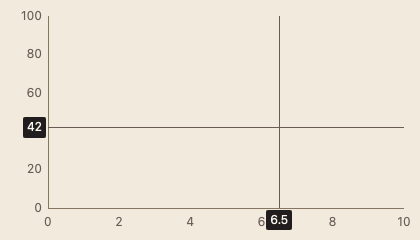
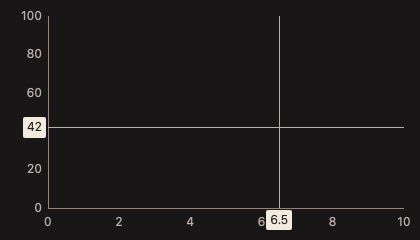
123 ChartCrosshair 十字光标
用途
绘制横纵十字线和轴侧读数标签,提供最近数据点吸附。
最小示例
view := func(c *ui.Context) {
	core.Use(c, core.Settings{})
	x := chart.ChartAxis(c, chart.ChartAxisOptions{Max: 10})
	y := chart.ChartAxis(c, chart.ChartAxisOptions{Side: chart.SideLeft, Max: 100})
	hair := chart.ChartCrosshair(c, chart.ChartCrosshairOptions{X: &x, Y: &y})
	ui.Box(c).Fill().Draw(func(p *ui.Painter, r ui.Rect) {
		plot := ui.Rect{X: r.X + 60, Y: r.Y + 20, W: r.W - 80, H: r.H - 60}
		x.Draw(p, plot)
		y.Draw(p, plot)
		hair.Draw(p, plot, x.Map(plot, 5), y.Map(plot, 70))
	})
}
ui.Render(view, 400, 300, 1)
参数
X, Y *ChartAxisPart:至少提供一条轴。Reach 默认 24 DIP,负值 panic。返回 ChartCrosshairPart;Snap(n, at, x, y) 返回范围内最近索引,范围外为 -1。
状态
静态部件;随调用方传入的坐标变化。移动路径使用像素网格对齐。
事件
吸附返回索引;读数变化使用所属 ChartResult.Changed()。
键盘操作
与 Chart 的 Pick、Anchor、Readout 组合,方向键逐点显示并朗读数值。
限制
Draw 使用窗口坐标,Snap 和 at 必须采用相同坐标系;轴部件在每帧创建。