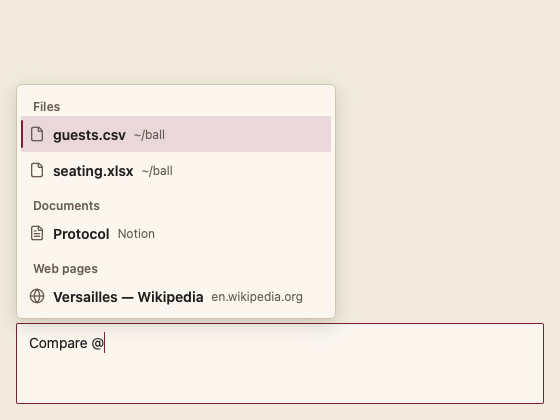
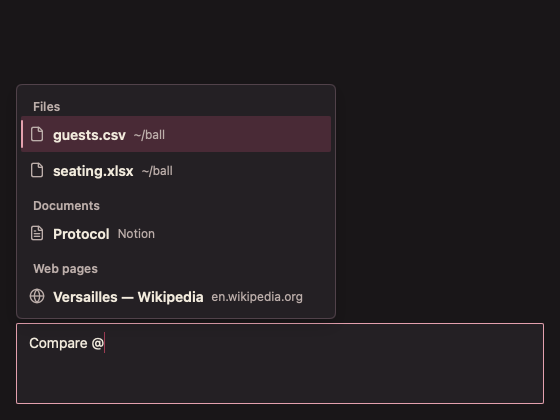
228 ContextMentionMenu 上下文提及菜单
用途
输入“@”选择文件、文档、网页等上下文;分组;异步结果。
最小示例
var prompt string
var found []chat.ContextItem
view := func(c *ui.Context) {
	core.Use(c, core.Settings{})
	composer := chat.PromptComposer(c, &prompt, chat.PromptComposerOptions{})
	r := chat.ContextMentionMenu(c, composer, &prompt, found, chat.ContextMentionOptions{})
	if r.QueryChanged() {
		found = []chat.ContextItem{{ID: "f1", Label: r.Query() + ".md", Kind: chat.ContextFile}}
	}
	if item, ok := r.Chosen(); ok {
		fmt.Println("attach", item.ID)
	}
}
ui.Render(view, 400, 300, 1)
参数
composer 与 value 关联当前编辑器;items 每项 ID、Label 必填,Detail 可选,Kind 为 ContextFile、ContextDoc 或 ContextWeb;Loading=false。
状态
默认、悬停、键盘焦点与祖先禁用;业务状态由调用方提供。
事件
QueryChanged() 请求新查询;Query() 返回查询文本;Chosen() 返回上下文并移除尾部提及文字。
键盘操作
编辑器内 Up/Down 选择,Enter 或 Tab 附加,Escape 关闭。
限制
异步结果由调用方提供并调用 c.Invalidate(),调用方负责淘汰过期请求。