344 Lightbox 灯箱
用途
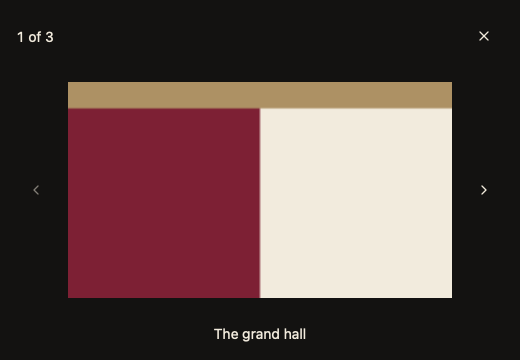
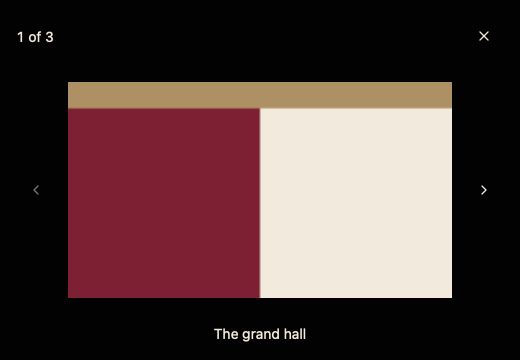
全窗口浏览图片:左右切换、显示说明文字,Escape 关闭后焦点回到触发控件。
最小示例
images := []data.ViewerImage{{Source: ui.NewBitmap(examplePhoto), Alt: "The grand hall"}}
open, index := false, 0
view := func(c *ui.Context) {
	core.Use(c, core.Settings{})
	if input.Button(c, "View photos", input.ButtonOptions{}).Clicked() {
		open = true
	}
	media.Lightbox(c, &open, &index, images)
}
ui.Render(view, 400, 300, 1)
参数
func Lightbox(c *ui.Context, open *bool, index *int, images []ViewerImage) ChoiceResult
与 ImageViewer 共用 ViewerImage(Source、Alt)。Alt 同时是说明文字。关闭时 Element 为 nil。
| 字段 | 类型 | 默认值 | 含义 |
|---|---|---|---|
open | *bool | — | 是否显示;Escape、点击关闭或背景时设为 false。 |
index | *int | — | 当前图片;越界 panic。 |
images | []ViewerImage | — | 至少一张,Source 须为 *ui.Bitmap 或 *ui.SVG。 |
状态
- 黑色遮罩铺满窗口,图片按 Contain 居中;首尾时对应切换按钮禁用。
- 打开时按弹层时长淡入,减少动画时直接出现。
事件
Changed() 在切换图片后为 true,并朗读“第 n 张,共 m 张”。
键盘操作
| 按键 | 作用 |
|---|---|
| ← / → | 上一张 / 下一张 |
| Home / End | 第一张 / 最后一张 |
| Escape | 关闭并把焦点还给打开它的控件 |
限制
- 不提供缩放与平移;需要时请用 ImageViewer。